No passwords
No OTPs
One biometric tap
MultiAuth replaces passwords and OTPs with FIDO2/WebAuthn passkeys - device-bound cryptographic credentials that eliminate phishing, replay and MFA fatigue by design.
Passwords and OTPs were never built for this threat model.
the dominant phishing vector - in 2026
secrets safely shared between client and server
Every organisation that needs phishing-resistant, standards-based authentication.
Discover why passkeys are the future of authentication
Passwordless Security
Eliminate password vulnerabilities with cryptographic security
FIDO2 Compliance
Built on the industry-standard FIDO2 protocol for maximum compatibility
Biometric Authentication
Leverage device biometrics like fingerprint and face recognition
Cross-Platform Support
Works across devices and platforms for a consistent experience
Phishing Resistant
Domain-bound credentials prevent phishing attacks
Easy Implementation
Simple API integration with comprehensive documentation
Three factors of authentication - delivered in a single tap.
Possession (the device), inherence (biometric) and intent (origin-bound signature) - unified into one cryptographic gesture.
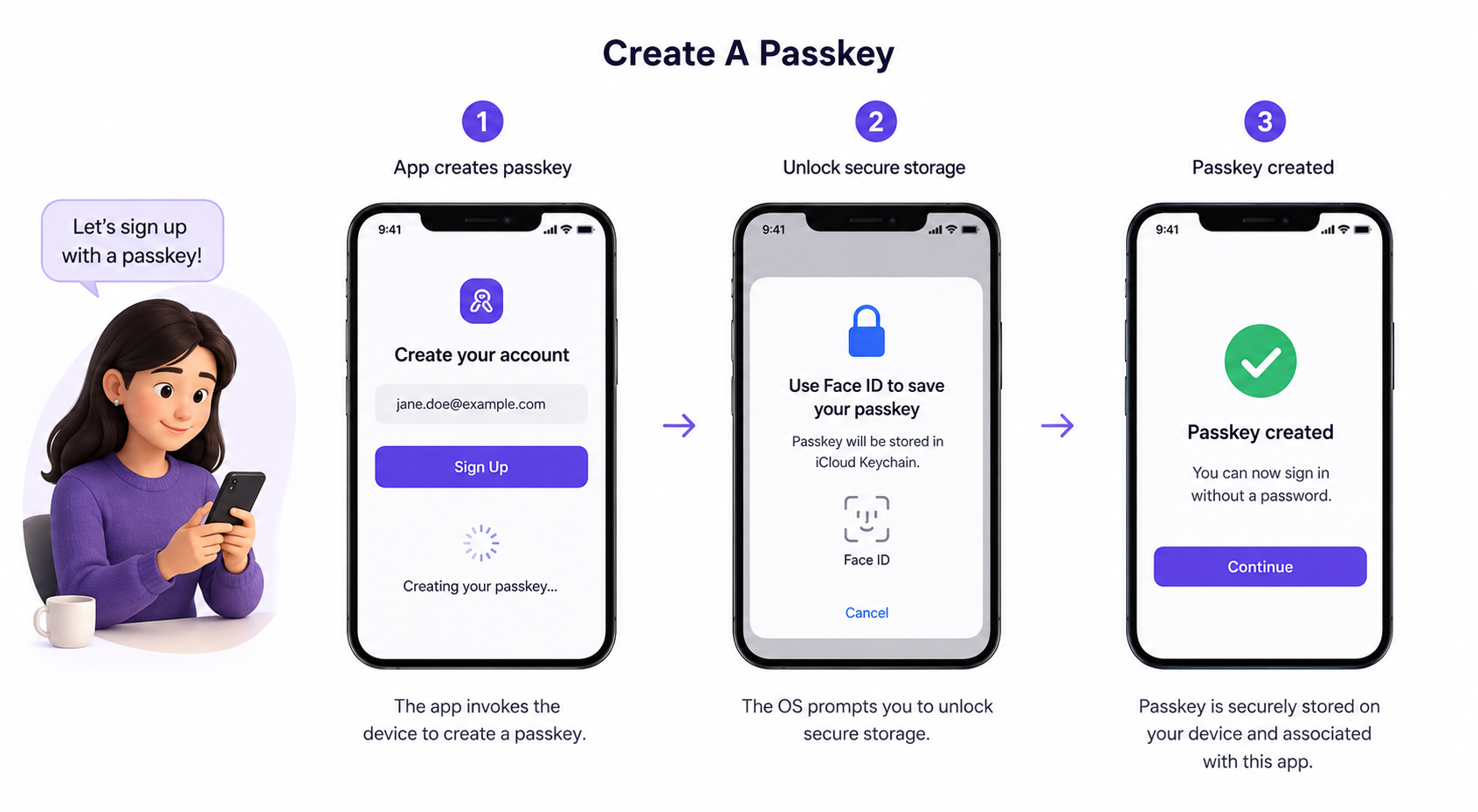
Device-bound public-key credentials generated in the platform secure enclave. The private key never leaves the device. No secrets traverse the web.
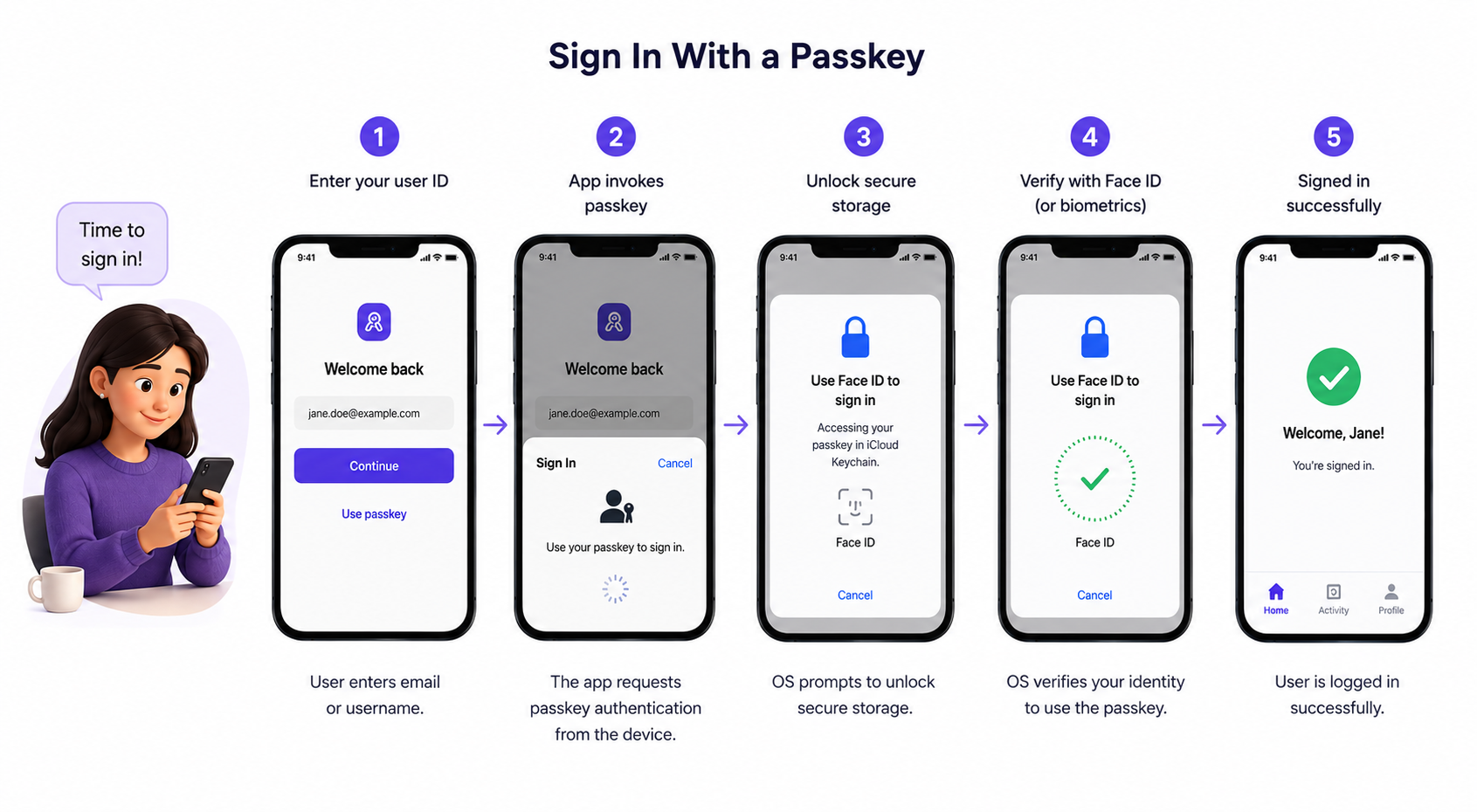
Face ID, Touch ID, Windows Hello, Android fingerprint as the user verification gesture. Biometric data never leaves the device - never transmitted, never stored remotely.
Passkeys are cryptographically scoped to the origin domain. A passkey for app.example.com cannot be used at attacker.com - phishing eliminated at the protocol level.
Corporate SSO - signed in under six seconds.
From passkey creation to everyday sign-in - two workflows that eliminate passwords and OTPs entirely.
Two factors. One survives a phishing campaign.
Built on FIDO Alliance, W3C and NIST - not proprietary protocols.
Built on FIDO Alliance and W3C open standards. No proprietary protocols, no vendor lock-in - passkeys that work across Chrome, Safari, Firefox and Edge.
See Sovio MultiAuth
in your ecosystem.
Schedule a personalised demo to see FIDO2 passkeys, biometric verification and origin-bound authentication running end to end in your environment.